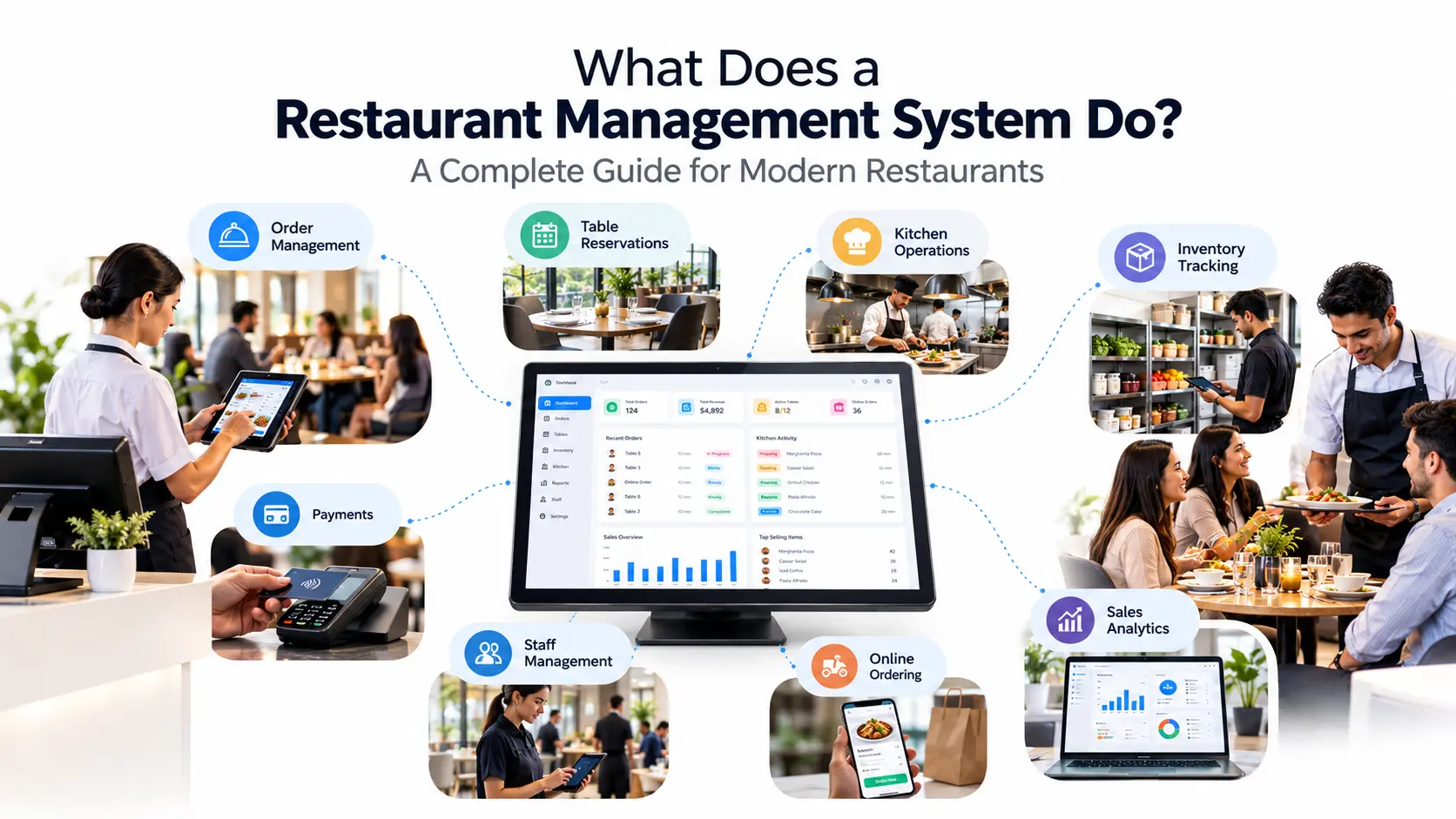

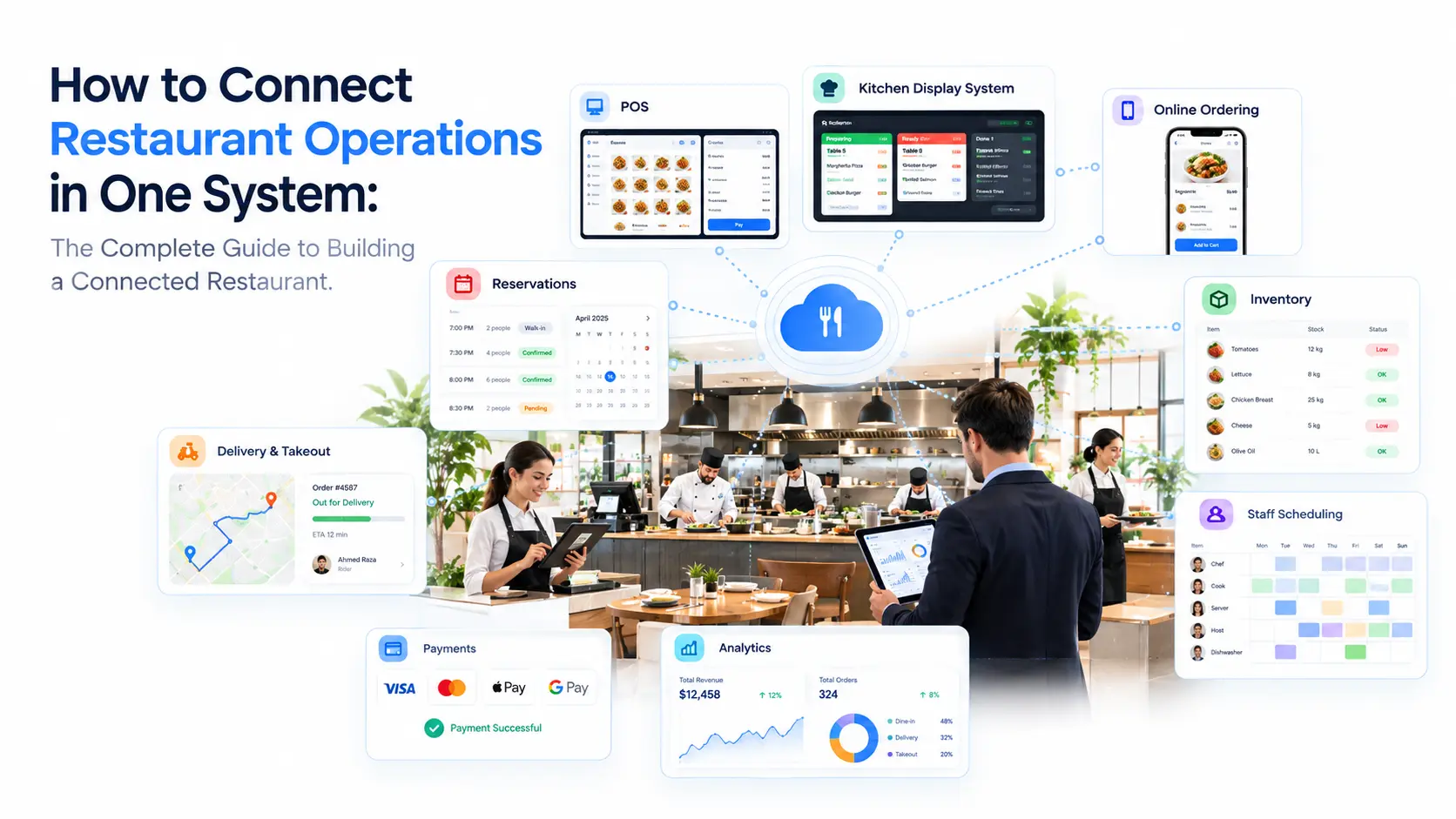
- Running a modern restaurant means managing dozens of connected activities every day.
- A customer places an order.
- A kitchen team prepares the food.
- A server manages tables.
- Inventory needs to be updated.
- Payments must be processed.
- Managers need reports.
Owners need visibility into performance. Every part of the restaurant depends on another. However, many restaurants still operate with disconnected systems:
- A POS system for payments
- A separate reservation tool
- Manual inventory tracking
- Different communication methods for kitchen teams
- Separate customer databases
- Independent reporting tools
The result is operational friction.
Information gets delayed. Teams work with different data. Managers spend more time connecting information manually instead of improving the business. A connected restaurant operations system solves this challenge by bringing every important workflow into one environment.
Instead of running separate departments, restaurants can create one connected ecosystem where orders, kitchen operations, inventory, customers, staff, and analytics communicate with each other.
What Does It Mean to Connect Restaurant Operations?
Connecting restaurant operations means integrating the different systems and processes that keep a restaurant running into one centralized workflow.
A connected restaurant does not treat every department as a separate activity.
Instead, every action creates information that helps another part of the business.
For example:
A customer orders a pizza.
In a disconnected restaurant:
Customer Order
↓
Waiter Writes Order
↓
Kitchen Receives Information
↓
Food Prepared
↓
Cashier Processes Payment
↓
Manager Checks Sales Later
Each step depends on manual communication.
In a connected restaurant:
Customer Order
↓
Restaurant Management System
↓
┌───────────────┬───────────────┬───────────────┐
↓ ↓ ↓
Kitchen Inventory Customer Data
↓ ↓ ↓
Preparation Stock Update Order History
↓
Analytics Dashboard
The same information moves automatically through the entire operation. This is the foundation of a modern restaurant operations management system.
Why Restaurant Operations Become Disconnected
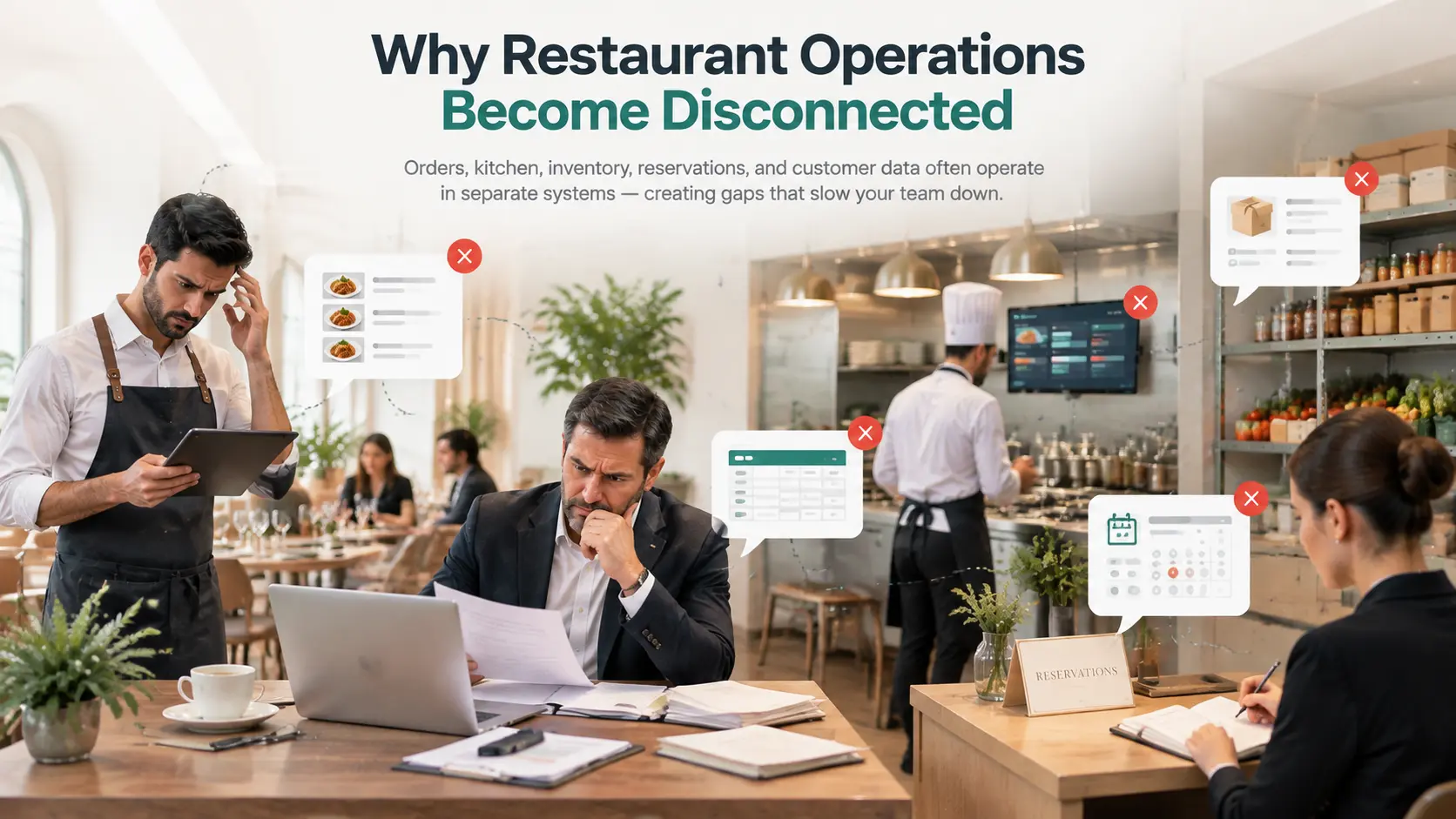
Restaurants naturally grow by adding new tools.
A business may start with:
- A simple cash register
- Manual reservations
- Spreadsheet inventory tracking
Then later add:
- Online ordering
- Delivery platforms
- Loyalty programs
- More locations
- Kitchen systems
The problem is that each new tool often works separately.
Over time, restaurants create a technology environment where information becomes scattered.
The Hidden Cost of Disconnected Restaurant Systems
1. Slow Communication Between Teams
A common restaurant challenge is the gap between front-of-house and kitchen operations.
Example:
A waiter receives a customer request.
The information must travel manually.
Possible problems:
- Wrong item entered
- Missing customization
- Delayed preparation
- Customer dissatisfaction
A connected system allows information to move instantly from order creation to preparation.
2. No Real-Time Business Visibility
Restaurant owners need answers quickly:
- Which dishes are selling today?
- Which ingredients are running low?
- Which location performs better?
- Which customers return frequently?
With disconnected tools, this information is usually collected manually. A connected platform creates one source of truth.
3. Inventory Problems
Inventory is often separated from sales.
This creates situations like:
A restaurant sells more pasta dishes.
But inventory does not automatically understand demand.
The manager discovers a shortage after it happens.
A connected inventory workflow links:
Sales → Menu Items → Ingredients → Stock Levels
This helps restaurants make smarter purchasing decisions.
The Restaurant Operations Ecosystem: What Needs To Be Connected?
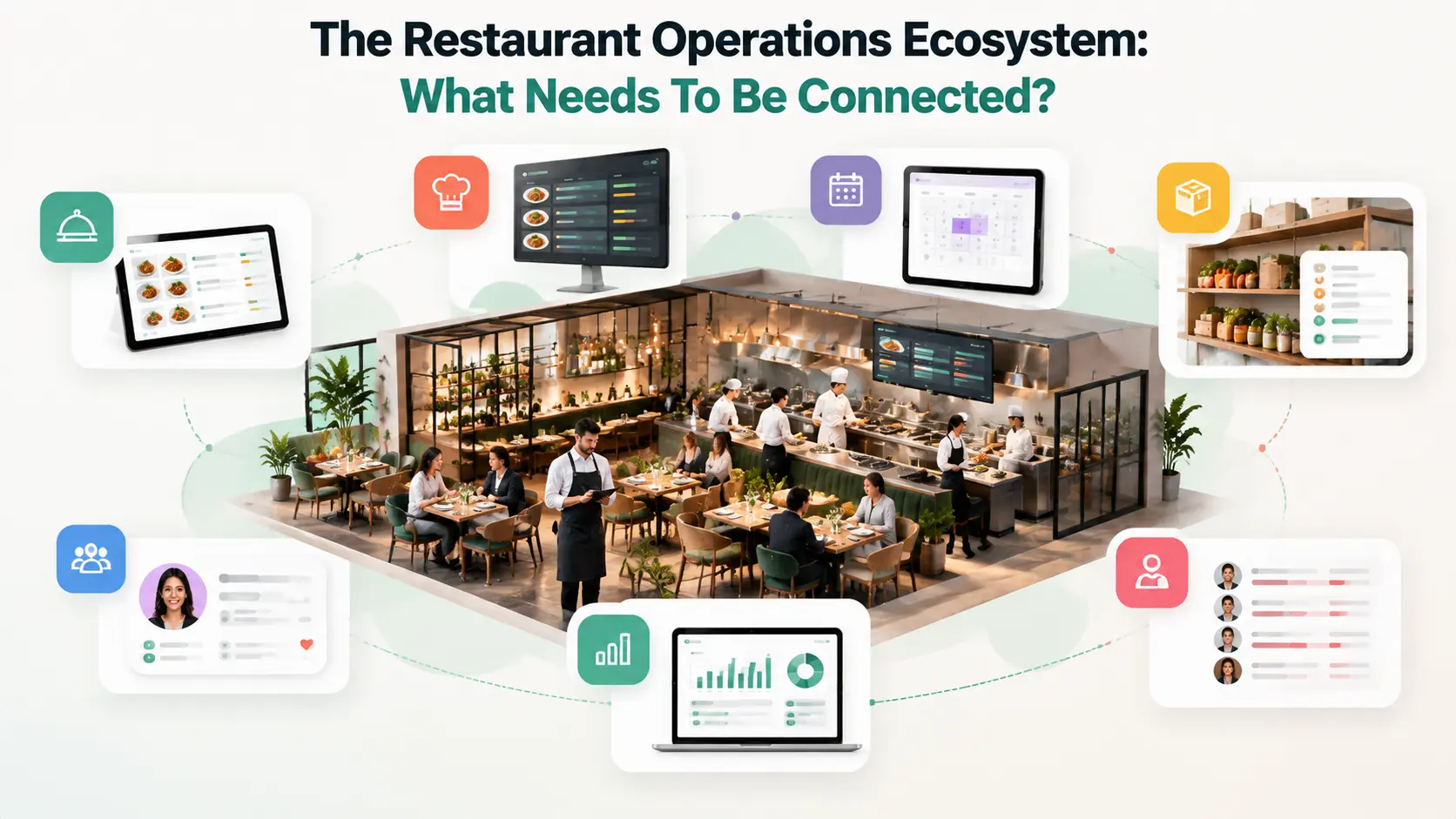
A complete restaurant operation has several connected layers. A modern restaurant management system should connect:
1. Ordering Layer
The first connection point is customer ordering.
Orders may come from:
- Restaurant POS
- Table service
- QR menus
- Takeaway
- Delivery channels
- Online ordering
The goal is not just receiving orders.
The goal is creating one unified order flow.
A restaurant order management system ensures every order reaches the correct team with the right information.
2. POS and Payment Layer
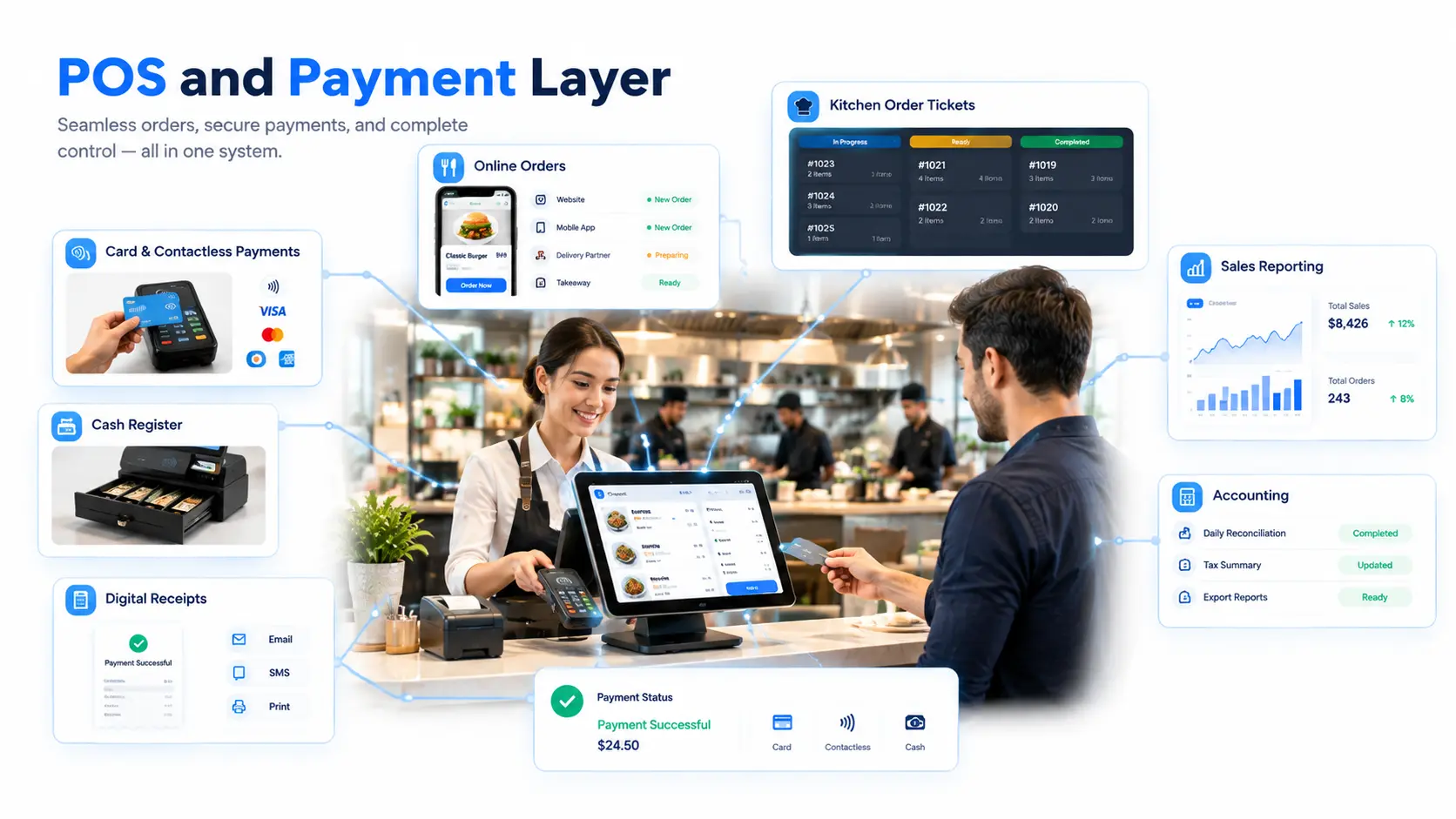
The POS is no longer only a billing machine.
In a connected restaurant, POS becomes a central operational hub.
It connects:
- Orders
- Payments
- Receipts
- Discounts
- Sales information
A connected POS allows restaurants to understand how transactions affect other areas of the business.
Example:
A customer buys a burger. The system can connect:
- Sale recorded
- Ingredients consumed
- Customer purchase history updated
- Revenue added to analytics
3. Kitchen Operations Layer
The kitchen is where speed and accuracy matter most.
A connected kitchen workflow removes manual communication problems.
Instead of:
Waiter → Verbal Communication → Kitchen
The flow becomes:
Order System → Kitchen Display → Preparation Status
Kitchen teams can:
- Receive orders instantly
- Organize preparation
- Manage multiple stations
- Update order status
This creates a smoother restaurant workflow.
4. Table and Reservation Layer
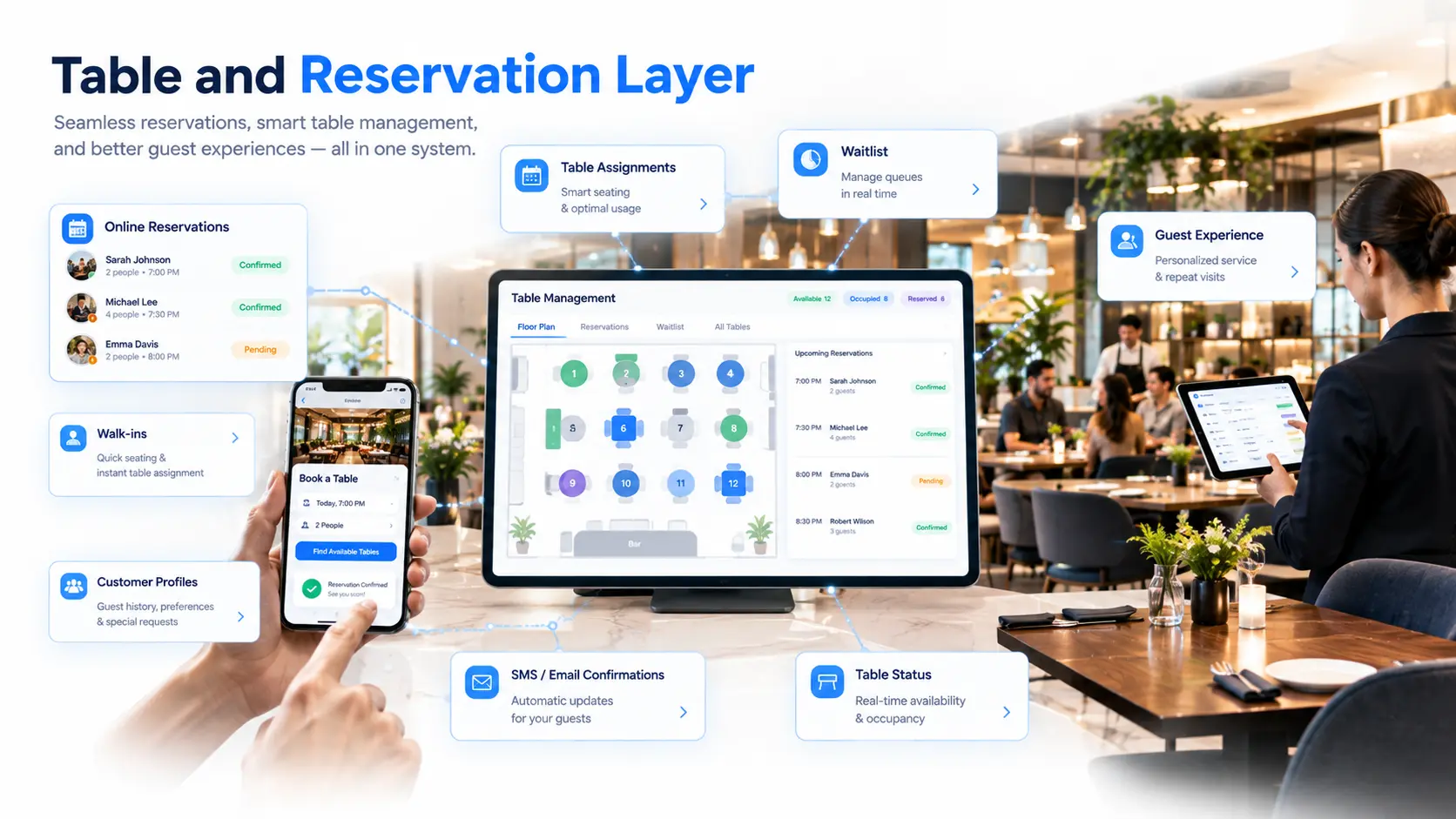
Restaurants also need customer seating information connected with operations.
A connected reservation system helps manage:
- Guest bookings
- Available tables
- Seating plans
- Customer information
Example:
A reservation arrives.
The system knows:
- Guest details
- Party size
- Available table
- Expected service time
5. Connect Inventory and Supplier Management
Inventory is one of the most important areas where restaurant operations need better connection.
Many restaurants still manage inventory separately from daily sales.
This creates a common problem:
A restaurant sells more of a specific menu item.
The POS records the sale.
But inventory does not automatically understand:
- Which ingredients were used
- How much stock remains
- When suppliers should be contacted
- Which products are creating waste
A connected restaurant system links sales activity with inventory operations.
Example:
Customer Orders Pasta
↓
POS Records Sale
↓
Recipe Information Connected
↓
Ingredients Deducted
↓
Stock Level Updated
↓
Low Stock Alert Generated
This allows restaurant managers to move from reactive inventory management to proactive control.
Benefits of Connected Inventory Management
Managers can understand:
- Current ingredient levels
- Fast-moving products
- Slow-moving products
- Purchasing requirements
When restaurants understand consumption patterns, they can improve:
- Ordering decisions
- Portion control
- Waste monitoring
Connected inventory data helps restaurants understand:
- What needs to be purchased
- When it needs to be purchased
- Which suppliers support operations best
6. Connect Staff Operations and Workforce Management
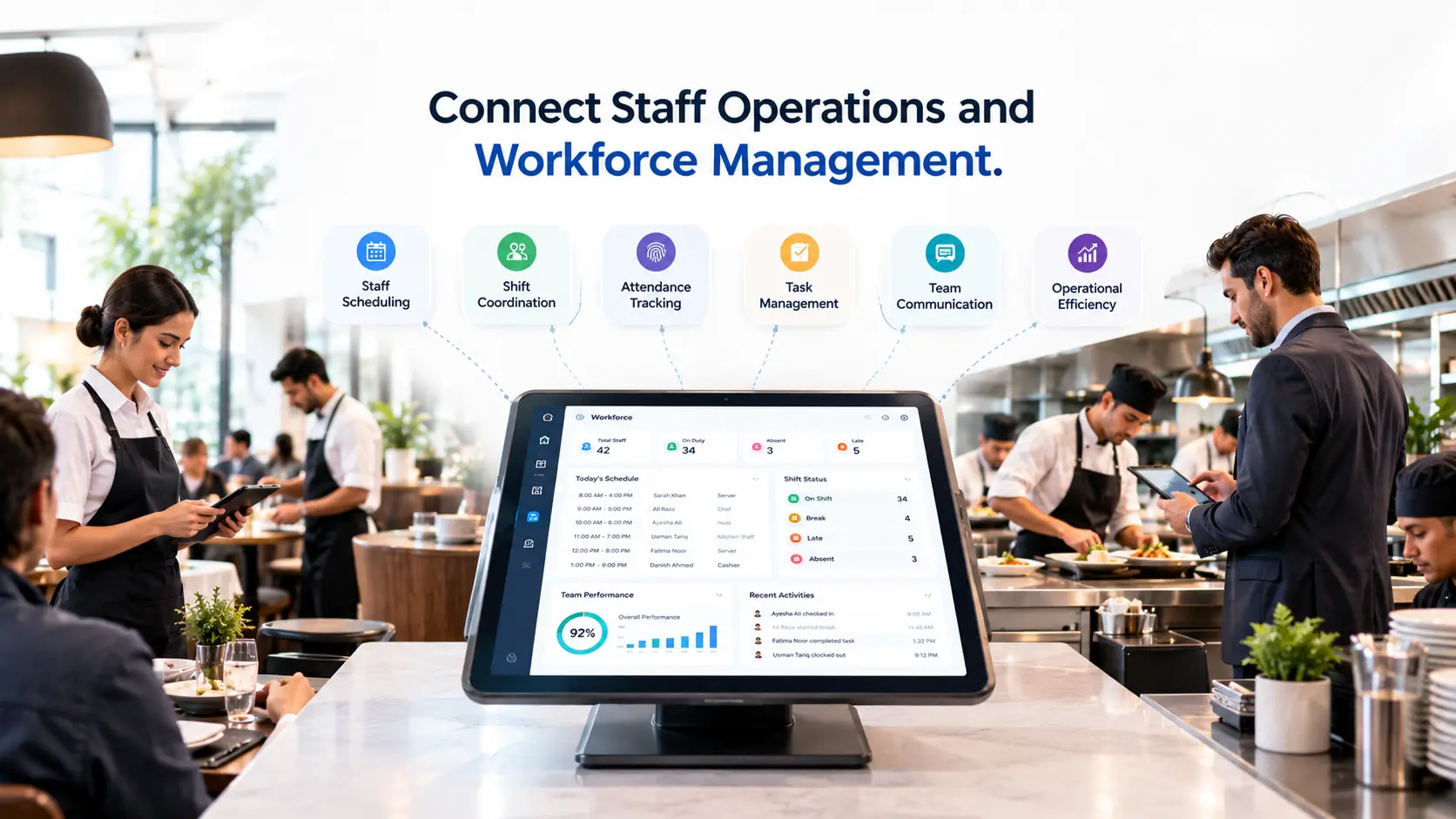
Restaurant operations depend heavily on people.
Even the best technology cannot improve efficiency if teams are not coordinated.
A connected restaurant system helps managers organize:
- Employee roles
- Permissions
- Responsibilities
- Work schedules
- Operational tasks
Instead of every employee using different information, teams work from the same operational system.
Example: Busy Dinner Service
Without a connected system:
- Staff members communicate manually
- Managers solve problems reactively
- Responsibilities become unclear
With a connected system:
- Orders are visible
- Tasks are organized
- Staff roles are controlled
- Managers have operational visibility
This helps restaurants maintain consistency during busy periods.
7. Connect Customer Data and Restaurant CRM
Customers generate valuable information every time they interact with a restaurant.
However, many businesses fail to use this information because it exists in separate places.
A connected restaurant CRM system brings customer information together.
It can connect:
- Orders
- Reservations
- Loyalty activity
- Customer preferences
- Visit history
Example:
A customer regularly orders vegetarian dishes.
A connected system can help restaurants understand:
- Previous purchases
- Preferences
- Visit frequency
This allows restaurants to create more personalized experiences.
Connected Customer Operations Help Restaurants:
Understand returning customers.
Send more relevant offers.
Staff can provide more personalized interactions.
8. Connect Analytics and Business Intelligence
One of the biggest advantages of connected restaurant operations is visibility.
When systems work separately, restaurant owners often look at individual reports.
But a connected system combines information from across the business.
It can connect:
- Sales data
- Inventory information
- Customer behavior
- Staff performance
- Branch performance
Example Questions a Connected Analytics System Can Answer
- Which menu items generate the most revenue?
- What are the busiest hours?
- Where are delays happening?
- Which processes need improvement?
- Which ingredients have the highest usage?
- Where is waste increasing?
- Which guests return most often?
- Which offers create engagement?
A connected analytics platform helps restaurant owners make decisions based on real operational data.
How Connected Restaurant Operations Work in Practice
A connected restaurant workflow begins when information is captured once and then shared with the systems and teams that need it.
Consider a dine-in order:
- A server selects the table and enters the order through the POS.
- Each item is routed to the appropriate kitchen or bar station.
- Preparation teams receive the item details, modifiers, allergens, and notes.
- The kitchen updates the preparation status so front-of-house can monitor progress.
- Recipe-linked ingredients are deducted from the relevant inventory location.
- The completed order is added to the customer’s bill.
- Payment information is recorded when the bill is settled.
- Sales, inventory, customer, and operational reports are updated from the same transaction.
The restaurant does not need to enter the same information into several separate tools. Each department sees the part of the workflow that relates to its responsibilities.
Benefits of Connecting Restaurant Operations
One Consistent Source of Information
When orders, payments, inventory, reservations, staff, and reporting are connected, teams work with consistent operational information. This reduces the need to compare separate spreadsheets or manually reconcile different systems.
Clearer Team Coordination
Front-of-house, kitchen, delivery, and management teams can follow the same order status. Clear ownership at each stage helps employees understand what has happened and which action should come next.
More Accurate Operational Records
Capturing information once can reduce repeated data entry. Menu items, payment activity, stock usage, and customer history remain connected to the original transaction.
Faster Response to Operational Problems
Managers can identify delays, low stock, unavailable items, unusual discounts, or branch-level performance changes earlier when information is available through connected reports.
Stronger Multi-Location Control
Restaurant groups can keep branch data separate while giving authorized managers a centralized view of menus, sales, staff, inventory, and performance. This supports consistent processes without removing branch-level responsibility.
More Useful Restaurant Data
Connected data provides context. A sales figure becomes more useful when it can be viewed alongside ingredient usage, preparation times, order channels, customer behavior, and staffing information.
How to Connect Restaurant Operations Step by Step
1. Map the Current Workflow
Document how dine-in, takeaway, delivery, online, and scheduled orders currently move through the restaurant. Identify who creates the order, where it is prepared, how it is paid, and which records are updated.
2. Identify Manual Handoffs
Look for stages where employees copy information, make phone calls, use paper notes, send messages, or update separate spreadsheets. These handoffs are common sources of delays and inconsistent data.
3. Define the Central Operational Record
Decide which system will hold the authoritative record for orders, menu items, payments, customer details, and branch activity. Other modules should use or synchronize with that information instead of creating conflicting copies.
4. Connect Orders With Kitchen Operations
Assign menu categories and items to the correct preparation stations. Confirm that quantities, modifiers, customer notes, allergens, table numbers, and scheduled times remain visible throughout preparation.
5. Connect Menu Items With Inventory
Create recipes or ingredient mappings for relevant menu items. Define quantities, measurement units, stock locations, wastage rules, and low-stock thresholds before relying on automatic deductions.
6. Connect Reservations With Tables
Link bookings with available tables, areas, time slots, and guest information. The reservation workflow should prevent conflicting allocations while helping front-of-house understand expected arrivals and table availability.
7. Configure Staff Roles and Permissions
Give each employee access according to their responsibilities. Waiters, cashiers, kitchen staff, managers, inventory teams, and delivery riders should not all receive the same permissions.
8. Connect Customer Information Carefully
Define which customer information is necessary for reservations, takeaway, delivery, loyalty, and communication. Keep access limited to authorized roles and use customer information only for appropriate operational purposes.
9. Build Connected Reports
Choose the metrics managers need to review. These may include sales by channel, payment totals, menu performance, food usage, waste, preparation delays, staff activity, customer retention, and branch comparisons.
10. Test Complete Scenarios
Test full workflows rather than individual buttons. Create realistic orders, send them to different preparation stations, change their status, process payment, cancel or refund them, and confirm that inventory and reports respond correctly.
Common Challenges When Connecting Restaurant Systems
Inconsistent Menu Information
Different item names, prices, categories, or identifiers across systems can prevent accurate synchronization. Clean and standardize menu information before connecting platforms.
Unclear Staff Responsibilities
Technology cannot resolve a workflow when nobody knows who owns the next step. Each order status and operational alert should have a responsible role.
Too Many Unnecessary Integrations
Connecting every available tool does not automatically create a useful workflow. Each integration should solve a clear operational need and have an owner responsible for monitoring it.
Incorrect Branch Configuration
Multi-location restaurants need clear rules for shared and branch-specific data. Menus, prices, stock, users, notifications, and reports should follow the restaurant group’s actual operating model.
Insufficient Testing
A workflow may appear correct during basic setup but fail during split payments, item cancellations, internet interruptions, stock transfers, or busy service. Exception scenarios must be tested before launch.
What to Look for in a Connected Restaurant Management Platform
Before selecting a platform, evaluate whether it can support the restaurant’s complete operating model.
- POS and payment workflows
- Dine-in, takeaway, delivery, and online orders
- Kitchen routing and preparation statuses
- Menu, recipe, and inventory connections
- Tables and reservations
- Staff roles and branch permissions
- Customer profiles and loyalty activity
- Operational and financial reporting
- Multi-location data separation
- Data export and integration options
- Offline or connection-loss behavior
- Onboarding, training, and support
Restaurants should also confirm which features are included in each plan, which require additional configuration, and how existing information will be migrated.
How Kappino Connects Restaurant Operations
Kappino connects restaurant POS, orders, kitchen workflows, reservations, inventory, staff, customers, reporting, and multi-branch management through one operational platform.
Its restaurant POS software records sales and order activity, while the restaurant order management system organizes dine-in, takeaway, delivery, and online orders.
Operational information can also connect with Kappino’s inventory management system, reservation management system, and restaurant analytics software. Available capabilities depend on the selected plan and restaurant configuration.
Frequently Asked Questions
What are connected restaurant operations?
Connected restaurant operations combine orders, POS, kitchen activity, inventory, reservations, staff, customer information, and reporting into coordinated workflows. Information captured in one part of the restaurant can support the teams and systems responsible for the next stage.
Why do restaurant systems become disconnected?
Restaurants often add tools gradually as new needs appear. If each tool stores separate information or requires manual updates, the overall technology environment becomes fragmented.
Which restaurant systems should be connected first?
Start with the systems involved in the core order journey: POS, order management, kitchen routing, and payments. Inventory, reservations, customer management, staff, and analytics can then connect around that central workflow.
Can connected operations help a single-location restaurant?
Yes. A single-location restaurant can use connected workflows to reduce repeated data entry, coordinate front-of-house with the kitchen, improve inventory visibility, and simplify daily reporting.
How do connected systems support multiple restaurant locations?
Connected systems can provide centralized oversight while keeping orders, inventory, users, notifications, and reports separated by branch. The correct configuration depends on which processes are shared across the restaurant group.
Does connecting restaurant operations require replacing every existing tool?
Not always. Some existing tools may remain useful if they can exchange information reliably with the main operational platform. Restaurants should evaluate integration availability, data ownership, ongoing costs, and workflow complexity before replacing a system.
How should restaurants test a connected workflow?
Restaurants should test complete dine-in, takeaway, delivery, payment, cancellation, refund, inventory, and reporting scenarios. Testing should include normal service and exception cases such as connection loss, unavailable items, and incorrect staff permissions.
Conclusion
Connecting restaurant operations means creating one coordinated flow between the people, systems, and information involved in daily service.
Orders should connect with kitchen preparation. Sales should connect with payments and inventory. Reservations should connect with tables and customer information. Staff should receive the access and tasks appropriate to their roles. Managers should be able to review the resulting information through consistent reports.
The goal is not simply to add more technology. It is to reduce operational gaps and help every restaurant team work from the same reliable information.
By mapping existing processes, removing unnecessary manual handoffs, configuring permissions, and testing complete scenarios, restaurants can build a connected operating model that supports both daily service and future growth.