

Floors, zones & layout
Multiple floors and zones with drag-to-position editing. Eight table shapes and six table types, with the number of chairs on every table.
Lay out every floor and zone, see which tables are free, occupied, reserved or waiting for the bill, and run service straight from the plan.
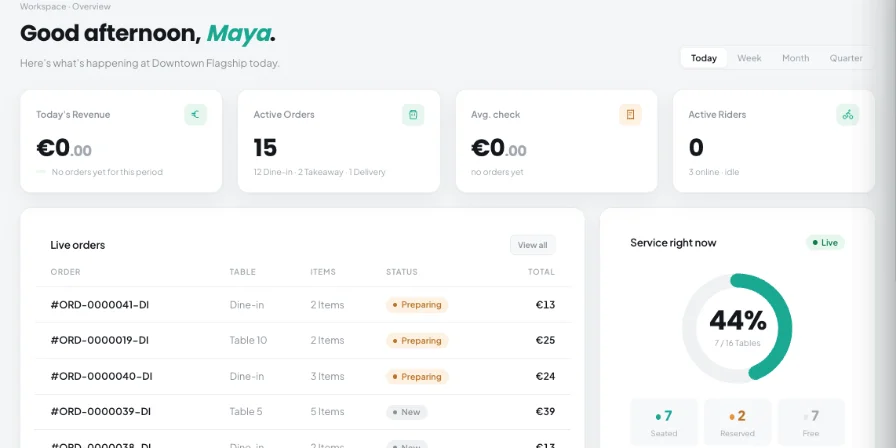
Multiple floors and zones with drag-to-position editing. Eight table shapes and six table types, with the number of chairs on every table.
Available, Occupied, Reserved and Bill requested — visible to the whole team at a glance.
Seat guests, assign a server, open the POS to add to the order, request the bill or take payment and free the table.
Book several tables together as one reservation, and see how many split accounts are already paid on each table.
Rearrange or hide tables for a single date, or create temporary zones for weddings, birthdays or corporate events that borrow tables and return them automatically. Move a table now or on a schedule.
Search tables by name or number and filter the plan by status.
Check table availability for a reservation date and time, and see upcoming reservations and events in the service overview.
Separate floors and zones, each with its own layout.
Temporary zones and one-date layouts for weddings, birthdays and corporate events, without touching the normal plan.
Servers assigned to tables, and live status so nobody has to ask which table is free.
Add floors and zones, place tables and set their shape, type and number of chairs.
Check table availability for a booking date and time, and see the next reservations in the service overview.
Seat guests, add orders and request bills directly from each table.
Split a table’s bill by guest, by item or by hand, record each payment and print or email receipts.
Free the table and keep turning covers.
Open the POS from any table to add to its order. Held tickets can be resumed on any terminal.
Bookings from the online booking page arrive as pending for staff to confirm, with double-booking checks.
See on each table how many split accounts are already paid.
The “Service right now” occupancy view shows how full the room is.
POS, orders, kitchen flow, inventory, reporting and AI tools built for modern restaurant operations.