
AI price recommendations
Raise, lower, hold, surge, discount and clearance suggestions — with expected revenue and profit change per week, confidence and risk.
Kappino analyses your sales, demand and menu performance to suggest price changes, simulate their impact and track how they performed. Every change is yours to approve.
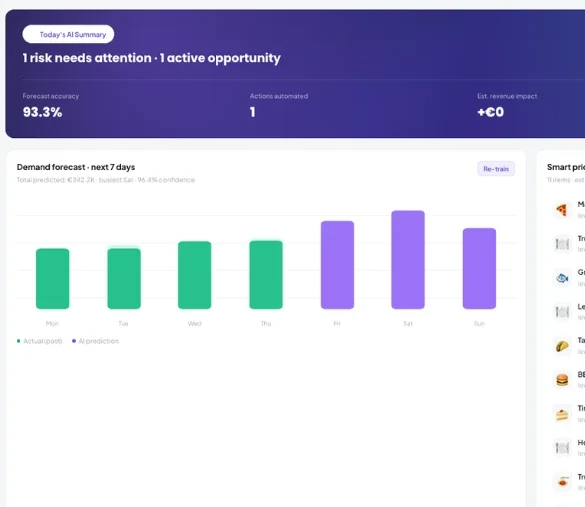
Built on your last 90 days of real sales and demand models trained on your own data.
Raise, lower, hold, surge, discount and clearance suggestions — with expected revenue and profit change per week, confidence and risk.
Every item placed as a Star, Plow Horse, Puzzle or Dog based on the last 30 days, so you know what to promote, re-price or rethink.
Pick an item and a price change and see projected revenue, profit, volume and retention over 7, 14 or 30 days.
See which items are price-sensitive and which are not before you change anything.
After you apply a recommendation, track how it actually performed against the prediction.
Kappino reviews recent sales and demand for every menu item.
Test a price change with the what-if simulator and the price impact forecast.
Apply one recommendation, or all of them from AI Insights, and the menu price updates. Only admins and managers with pricing permission can apply prices.
Compare actual and predicted results and re-train the model as your data grows.
Use the menu engineering matrix to see Stars, Plow Horses, Puzzles and Dogs before reprinting anything.
Recommendations come with confidence and risk, and only users with pricing permission can apply them.
Applied prices update the menu across the POS and online ordering.
Recipes linked to stock show cost and margin per dish, which Smart Pricing uses.
Demand forecasts for the next 7, 30 or 90 days, with peak hours and top-demand items.
An applied price shows up on the POS and in online ordering.
Ask about your sales and menu performance in plain language.
POS, orders, kitchen flow, inventory, reporting and AI tools built for modern restaurant operations.